Share student records between campuses
Use People → Record sharing. One campus asks for a learner's records. The campus that holds them decides. Organization membership alone does not give one campus the records of another.
How a request moves
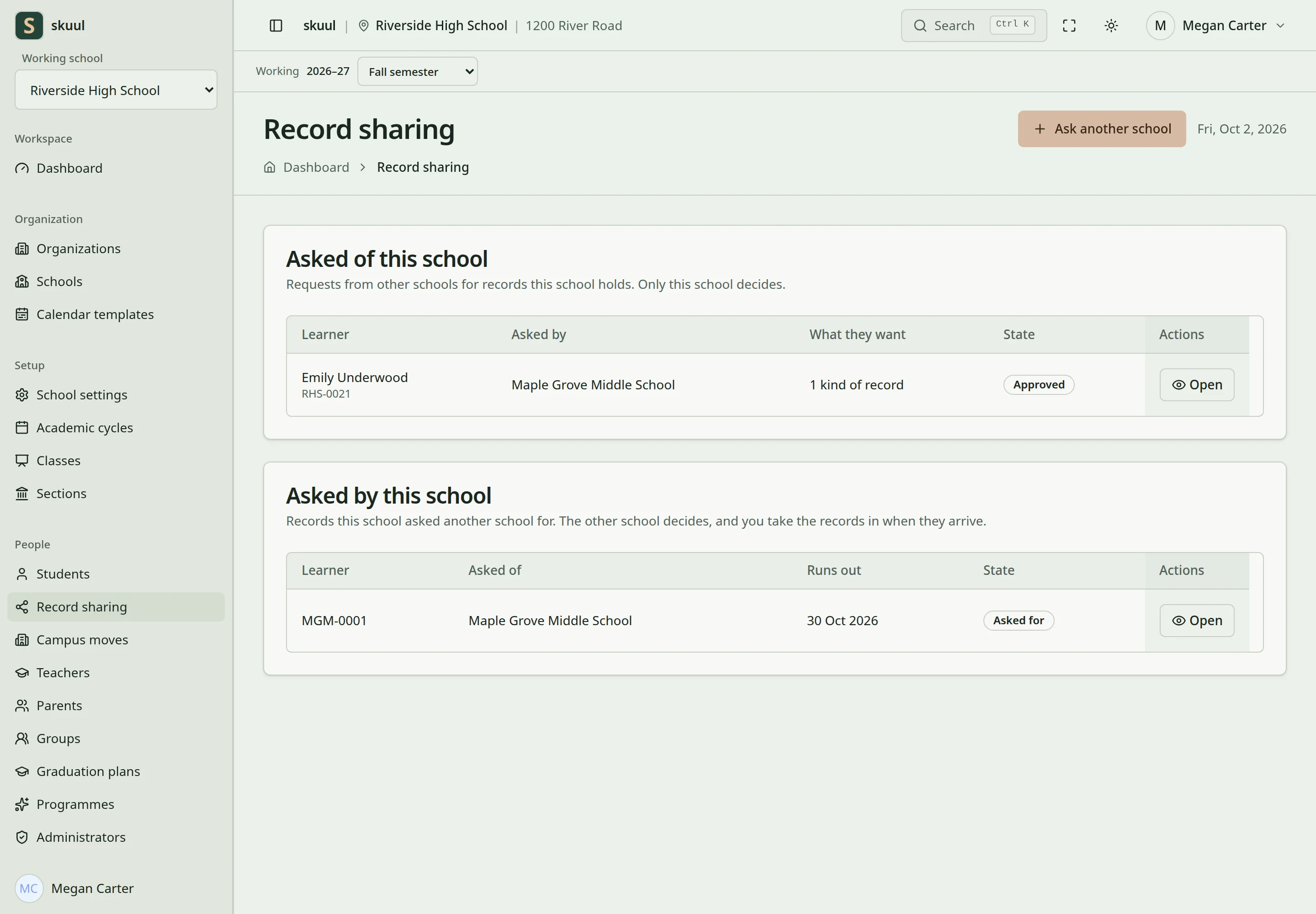
Approval and receipt are separate record-sharing steps.
- The asking campus sends the request.
- The holding campus selects Approve or Decline.
- The holding campus selects Hand the records over. This builds a copy of the approved categories.
- The asking campus selects Take the records in. Then it can read the copy.
Approval does not send anything. Handing over does not put the records in the asking campus's own screens. The copy shows only on the request page.
| State | Meaning |
|---|---|
| Asked for | The holding campus has not answered. |
| Approved | The holding campus agreed. Nothing was handed over yet. |
| Handed over | The copy is ready for the asking campus. |
| Declined | The holding campus said no. |
| Expired | The holding campus marked the permission as run out. |
| Taken back | The holding campus took the permission back. |
Permissions
| Task | Campus permission |
|---|---|
| Ask, and take the records in | request data sharing |
| Approve, decline, or take the permission back | approve data sharing |
| Hand the records over | fulfil data sharing |
Any of the three opens Record sharing.
Restricted categories
Ordinary categories are Identity, Guardians, Enrollment, Published results, and Attendance. Restricted categories need one more permission. A person must be able to read a restricted category at their own campus to ask for it, approve it, hand it over, or read the copy.
| Category | Extra permission |
|---|---|
| Health | read health record |
| Discipline | read incident |
| Safeguarding | read safeguarding case |
| Support and wellbeing | read confidential support plan |
| Detailed finance | read fee invoice |
Without it, the request page says, for example, You cannot approve Safeguarding. You need the permission to read them at this campus. At the asking campus, a person without it sees the other categories. The page says, for example, Health is hidden. You need the permission to read it at this campus. Do not use a campus move instead of a request for restricted records.
Ask for records
- Open Record sharing, then Ask another school.
- Select School that holds the records.
- Enter Their admission number there, up to 50 characters.
- Under What you are asking for, select the categories. Ask for the least you need.
- Enter Why you need them, up to 500 characters.
- Enter Permission ends on (optional), today or a later date.
- Select Send the request.
The form finds the learner by admission number only. You cannot browse another school's learners. If the school or the number is wrong, the form says That school holds no learner with that admission number. After ten wrong numbers, the form stops you for up to one hour.
Your campus can have one open request for each learner of another campus. A second request is refused until the first is declined, taken back, handed over, or runs out.
Answer a request
- At the holding campus, open the request from Asked of this school.
- Check the learner, the reason, the categories, and Runs out.
- Enter a Note, if needed. The asking campus sees it.
- Select Approve or Decline.
- When you are ready to send the copy, select Hand the records over.
The ellipsis menu has Mark as run out and Take permission back. You can take the permission back until the asking campus takes the records in.
Approval is refused after the end date. The other school must ask again. If the learner moved to another campus, approval and hand-over are refused. The asking school must ask the learner's current campus.
Take the records in
- At the asking campus, open the request from Asked by this school.
- Select Take the records in.
- Read each category under Records.
Taking in is refused if the holding campus took the permission back, or the end date passed. A copy can be taken in once.
Problems
| Problem | Action |
|---|---|
| The learner is not found | Check the school and its exact admission number. |
| Another request is already open | Wait for the answer to that request. |
| A restricted category is refused | Ask your admin for the read permission of that category. |
| Hand the records over is missing | Check that the request is approved, not run out, and the learner still attends your campus. |
| Take the records in is missing | The holding campus must hand the records over first. |
| Taking in is refused | Check for Taken back, the end date, and an earlier take-in. |
| A category is hidden after taking in | Ask your admin for the read permission of that category. |
Check the result
- Check the categories, both campuses, and the end date.
- Take the records in only after the holding campus hands them over.
- Check that restricted categories were approved by a person who can read them.
The audit log records each request, answer, hand-over, and take-in. See security design and campus moves.