Campus moves and transfers
Move a learner to another campus of the same organization. Start the move from the learner's profile at the campus they attend now. The receiving campus decides on Campus moves, in the sidebar under People.
Before you ask for a move
- Both campuses must belong to the same organization.
- The receiving campus needs an active section with a free seat.
- The receiving campus must not have a learner with the same admission number. The request is refused when it has one. Change one of the numbers first.
- The learner can have only one waiting request.
| Task | Authority |
|---|---|
| Change the learner's enrollment | update student at the campus the learner attends |
| Ask for a move | request campus move at the campus the learner attends |
| Decide a request | approve campus move at the receiving campus |
| Move at once, or decide for any campus | Organization permission move students between campuses |
Organization membership alone does not give access to a campus.
Ask for a move
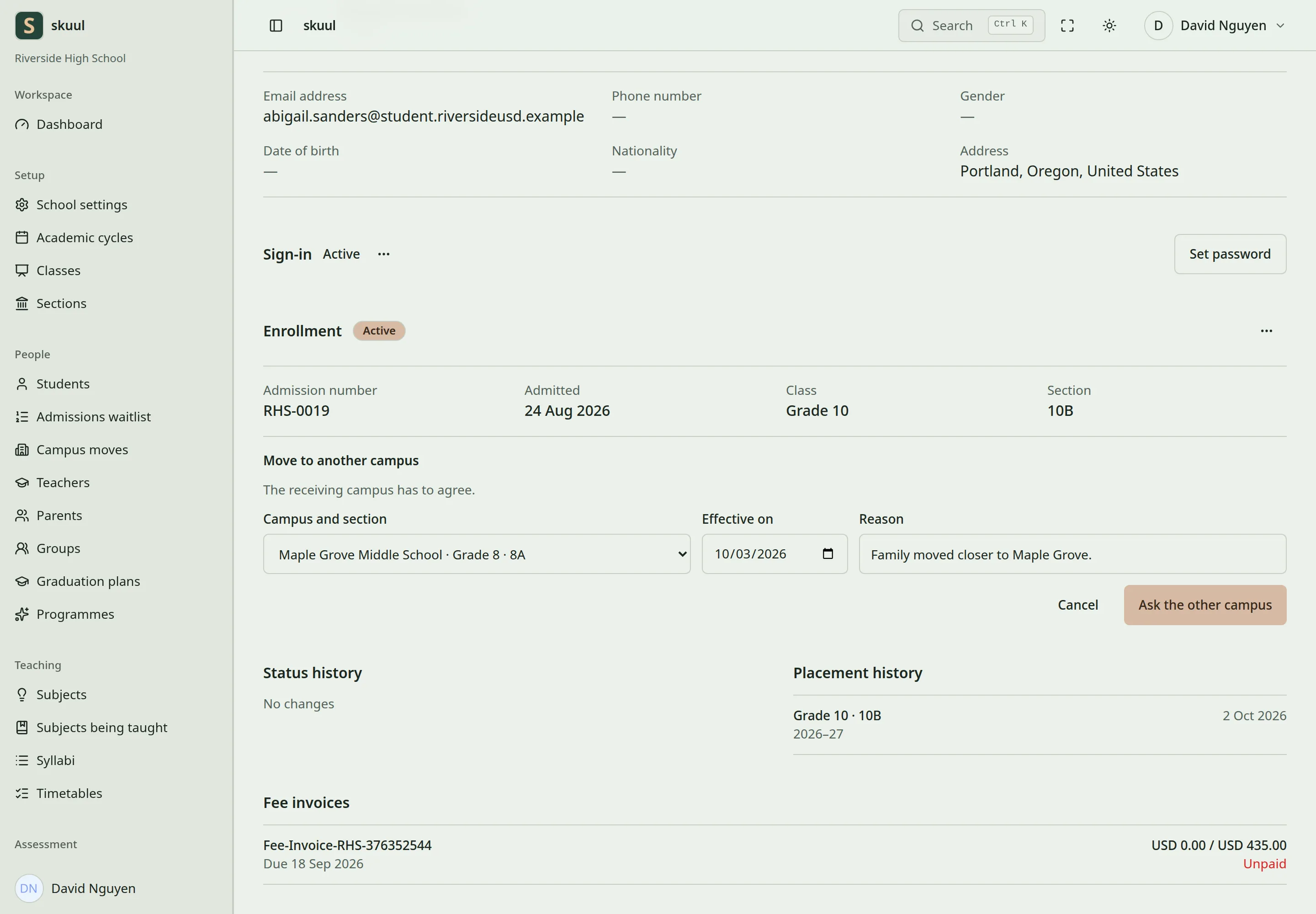
- Open the learner's profile.
- Select the ellipsis beside Enrollment (Change the enrollment).
- Select Move to another campus.
- In Campus and section, select the receiving campus and section.
- In Effective on, enter today or an earlier date. A future date is refused.
- In Reason, enter an optional reason of up to 500 characters.
- Select Ask the other campus. With the organization permission, the button is Move campus, and the move happens at once.
Campus and section lists the active sections of the other campuses in the organization. It can list a full section. The approval is then refused until a seat is free.
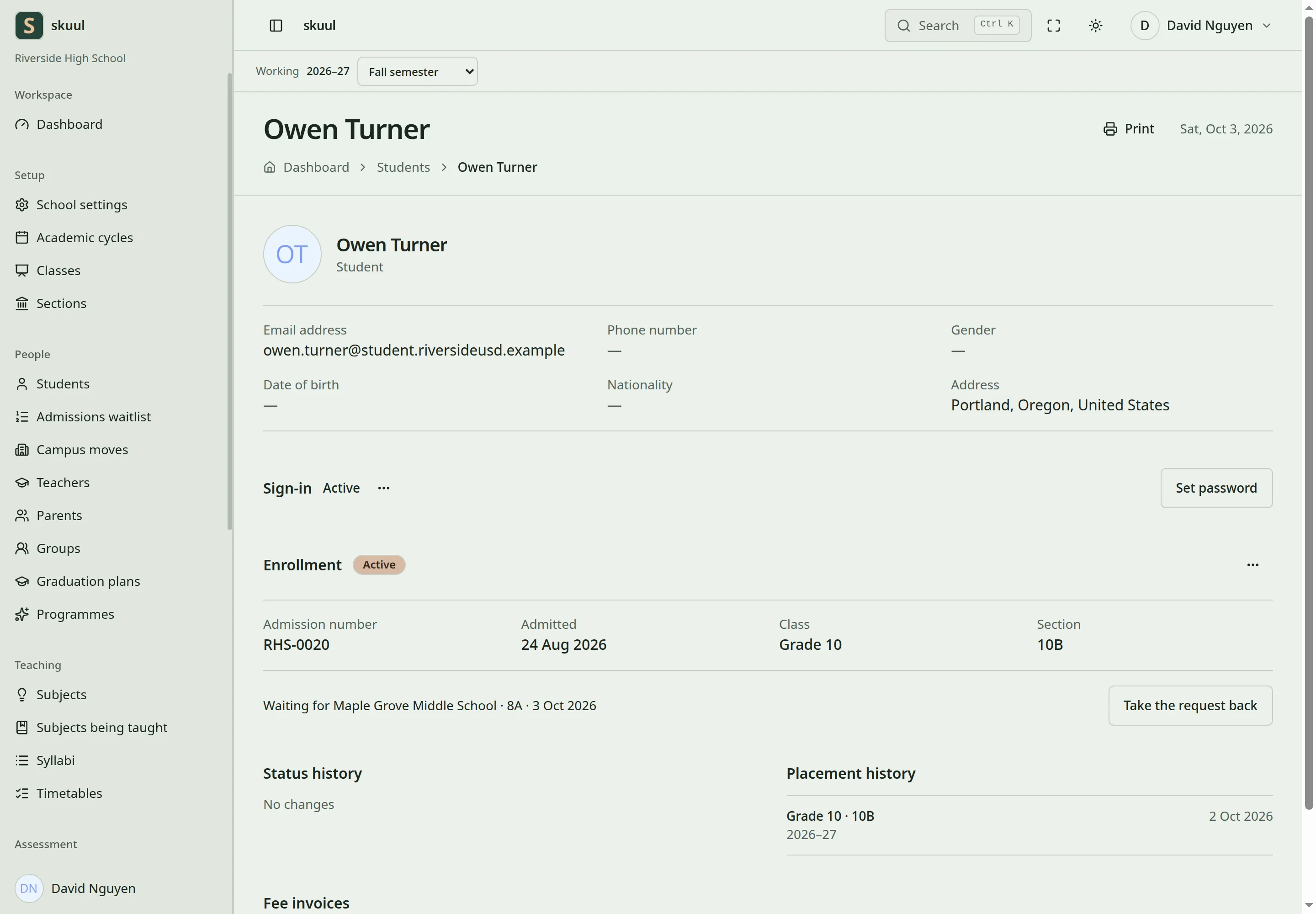
Asking does not move the learner. Until the receiving campus decides, the profile shows Waiting for with the campus, section, and date. To cancel, select Take the request back.
Decide a request
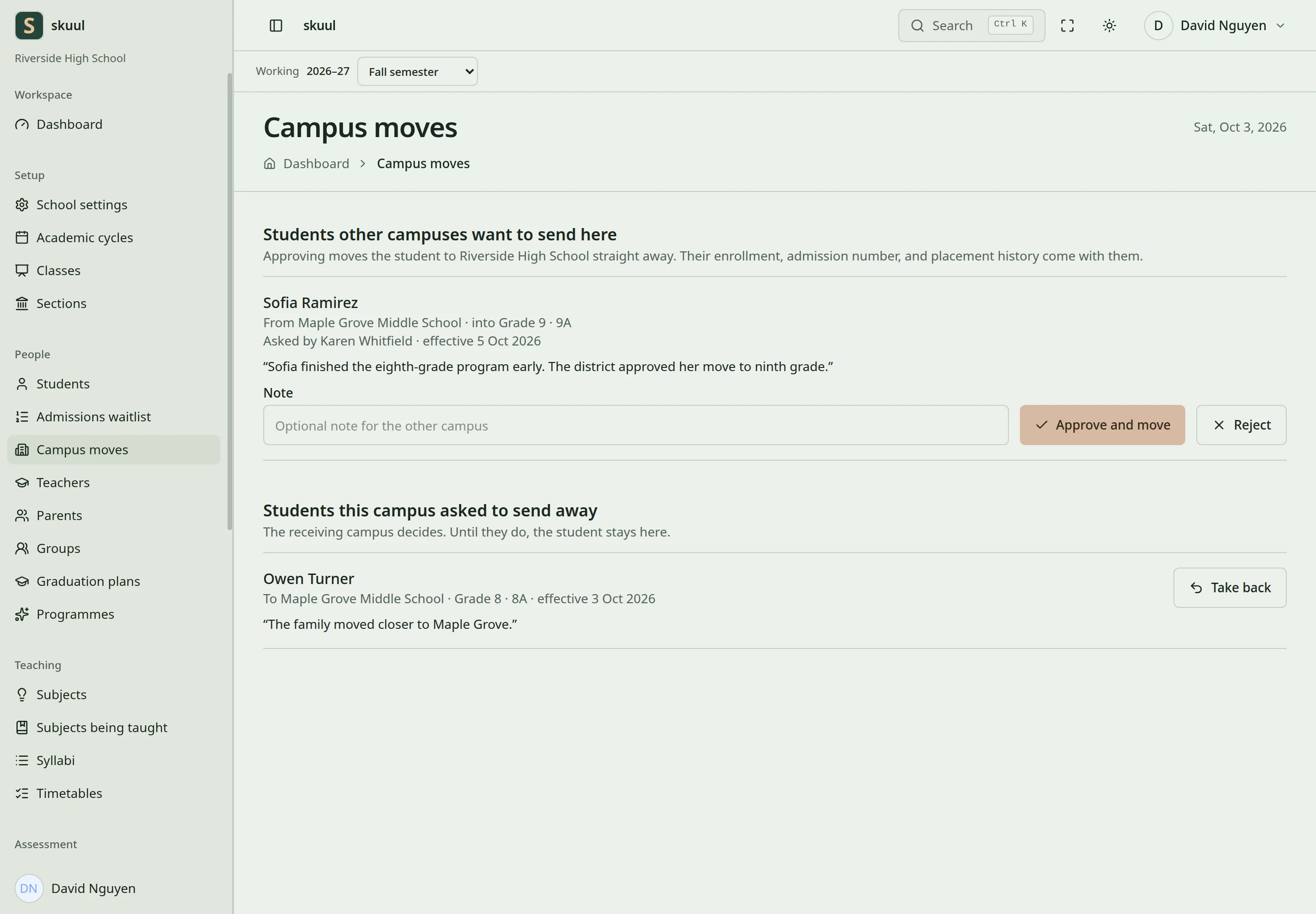
- Switch to the receiving campus.
- Open Campus moves.
- Under Students other campuses want to send here, read the learner, campus, section, effective date, and reason.
- In Note, enter an optional note of up to 500 characters.
- Select Approve and move or Reject.
- Confirm the decision in the dialog. It names the learner.
- After approval, open the learner's profile and check the section and placement history.
Approval moves the learner at once. There is no approved-but-waiting stage. The move uses the effective date of the request. Approval checks the request again: the learner's enrollment, the free seats, and the admission number.
Students this campus asked to send away lists the requests of your campus. Select Take back to cancel one. A request that the other campus already decided cannot be taken back or decided again. The screen then shows a message and reloads the list.
What moves with the learner
The learner keeps one enrollment, with its admission number and history. The placement history gets a dated row for the new section. The learner becomes a member of the receiving campus. The earlier campus membership stays, so the earlier campus keeps access to its own records. The earlier campus no longer lists the learner as a current learner.
At the earlier campus, the move also ends:
- the boarding place
- programme places and group memberships
- library reservations
- open support plans
Money moves only when both campuses are in the same billing group:
- The debt or credit moves to the receiving campus. Each campus records a balanced entry against the other.
- Unpaid bills move to the receiving campus, so the family pays them there.
Campuses that bill separately move no money. Unpaid bills stay at the earlier campus, on the learner's profile there. Collect them at that campus.
Transfers between organizations
A move between organizations is a transfer. The app has no screen for transfers. Move to another campus lists only campuses of your own organization. Changing the status to Transferred does not create an enrollment at the other school. Use record sharing to send history to another organization.
| Problem | Action |
|---|---|
| Move to another campus is not in the menu | Check your permissions and that another campus has an active section. |
| The request is refused for the admission number | Change the number at one of the campuses. |
| Another request is waiting | Take it back before you ask again. |
| Approval says the section is full | Free a seat. Or reject, and ask again for another section. |
| Approval says the student no longer attends the campus that asked | Reject the request. The current campus asks again. |
| A balance stayed at the earlier campus | Check the billing group. Campuses that bill separately collect their own bills. |
See students, billing groups, and payments.