Support plans and health records
Enable Wellbeing and use Operations → Student support. Support plans and health records require their own read and management permissions.
Create a support plan
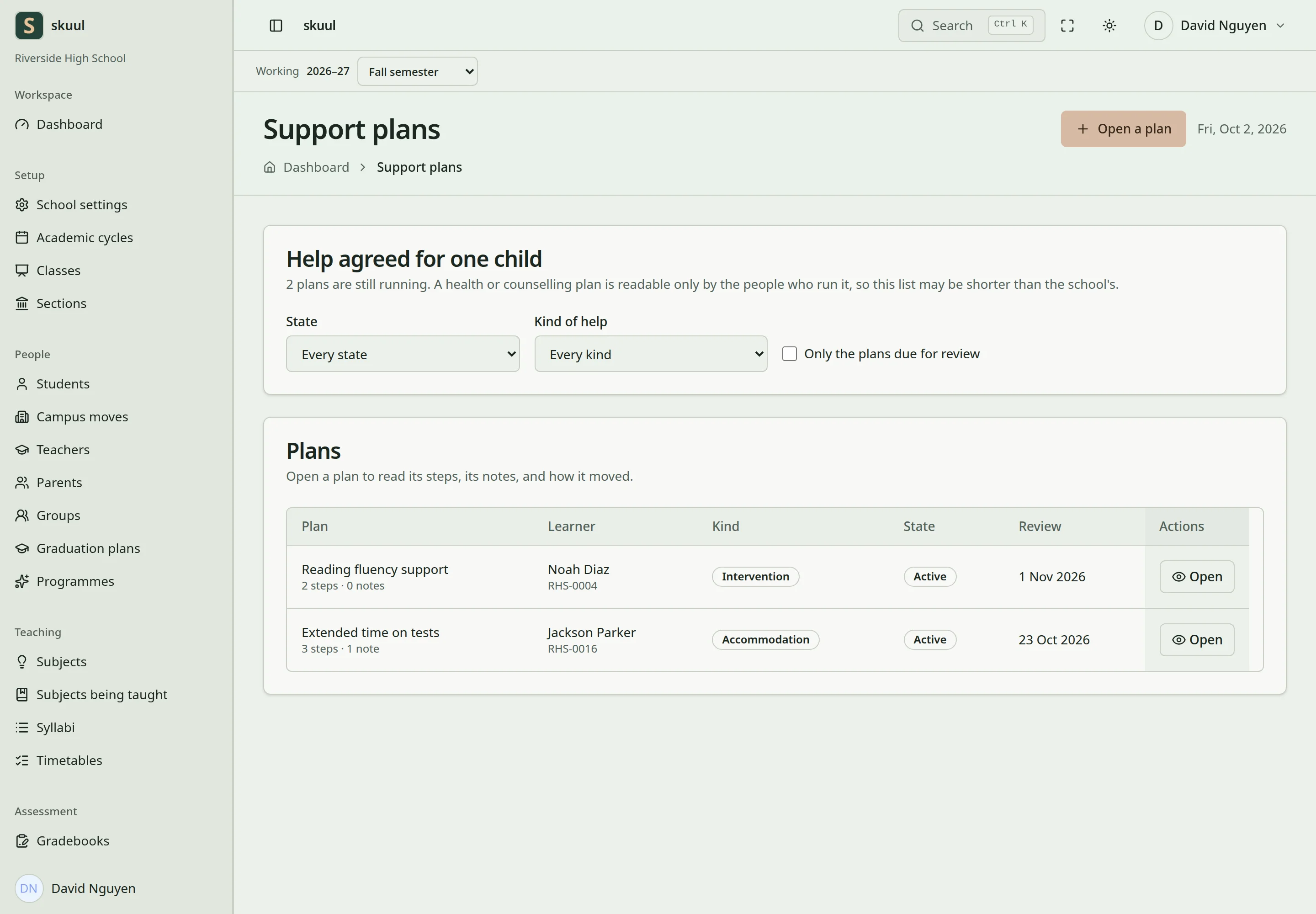
Confidential support requires its specific access permission.
- Select the learner's eligible campus enrollment.
- Choose the support category.
- Enter the need, planned support, and start date.
- Set a review date on or after the start date.
- Add the plan's actions or steps.
- Save and review the plan.
Health and counselling categories use confidential access checks. Accommodation and intervention plans use their applicable general support access. Record progress and completion against the plan's steps. Review the plan before changing its state. A closed plan cannot receive ordinary new notes or actions until it is reopened.
Maintain health information
Open Health records, select the learner, and edit the required fields. The record supports blood group, conditions, allergies, medication, dietary needs, and notes. It also supports an emergency contact name, number, and relationship. Save only information that the campus is authorized to retain.
The form saves changed fields and detects conflicting edits. If another person changed the same field, review the displayed current value before saving again. A stale form cannot write through a learner's completed campus move.
Health records and confidential plans are not ordinary family-portal documents. Restricted record sharing needs explicit authority and approval. An organization role alone does not grant access to these records.
Enter the plan and its steps
Read ordinary plans with read support plan; create with create support plan; update with update support plan. Health and counselling plans permit read confidential support plan, the assigned worker, or the plan's creator. Updating also requires visibility of that particular plan.
- Select Learner, Kind of help, and Run by where applicable.
- Enter Title, Summary, Starts, and Review.
- Select Open the plan.
- Enter What has to happen, Who, and Due for each step.
- Select Add step and review the outstanding steps.
Title accepts up to 255 characters; summary accepts up to 5000. Review must be on or after Starts when both are supplied. Step descriptions accept up to 1000 characters. Use Move the plan to, Why, and Move the plan for a permitted status transition. Use Add note for progress, with up to 5000 characters.
Enter health fields
Health reading requires read health record; writing requires update health record. The current campus must own the learner's enrollment for writing. Enter blood group, conditions, allergies, medications, dietary needs, emergency contact, and notes as required. Select Save the record. Conditions, allergies, medications, and dietary needs accept 2000 characters each. Blood group accepts 10 characters; notes accept 5000. Emergency contact name accepts 100 characters; phone and relationship accept 50 each.
| Problem | Action |
|---|---|
| Confidential plan is unavailable | Check specific read authority or assigned-worker/creator visibility. |
| Health field reports another person's edit | Review the current value before confirming replacement. |
| Health save fails after a campus move | Reload and work in the campus that now owns the enrollment. |
| Ordinary family portal lacks the plan | Confidential health and support records are not ordinary published family documents. |
Check the result
- Check the learner, category, review date, and recorded steps.
- Verify access with a permitted account and a restricted account.
- Review current field values before confirming a conflicting health-record edit.
See cases, record sharing, and data retention.