Library catalogue, loans, and reservations
Enable Library and use Library → Catalogue, Lending desk, and Library queue. You need the relevant library permissions.
Add stock
- Create or select a catalogue title.
- Add its physical copies.
- Give each copy a unique accession or barcode identifier.
- Record its location and availability.
- Review the copies before issuing them.
A title describes the work. A copy represents one physical item. Withdrawing a copy does not remove the title's history. A copy on loan cannot be withdrawn as available stock.
Lend and return a copy
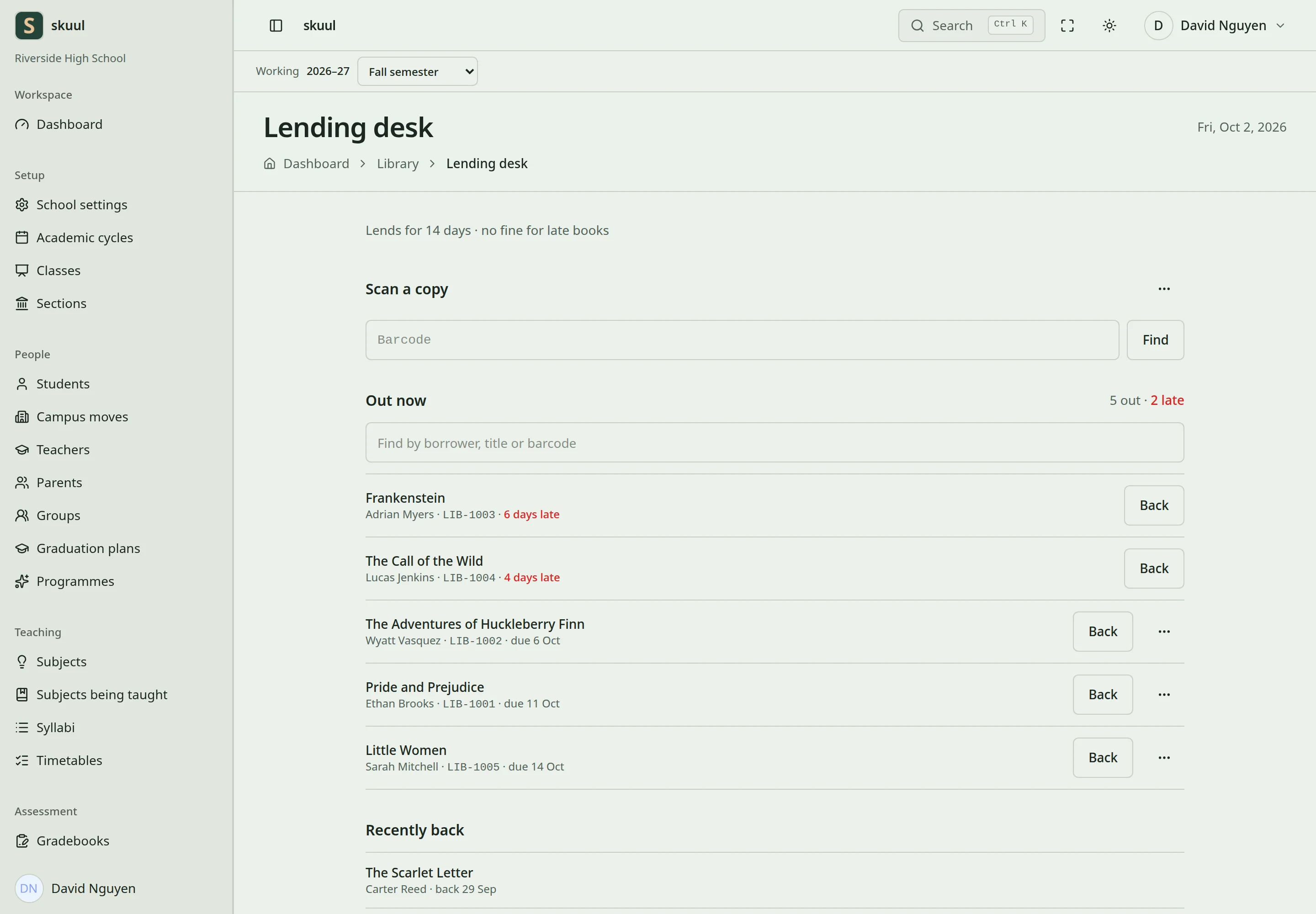
A loan belongs to a physical copy and an eligible borrower.
Select the available copy and an eligible campus borrower. Check the due date and issue the loan. A learner must be actively attending; campus access checks also apply to other borrowers. The section issue workflow needs enough available copies for its eligible learners.
On return, record the copy's condition and finish the loan. Use the supported lost or damaged condition workflow when appropriate. Do not mark a missing copy as available merely to close the loan.
Renew and reserve
Configure lending rules from the library's rules page. Renewal checks whether renewal is enabled, its limit, the due state, and the reservation queue. A borrower who has left the campus cannot receive a normal renewal.
Reserve a title to join its queue. If a copy is already available, the reservation can hold it immediately. A borrower cannot duplicate an open reservation or reserve a title they already hold under the checked rules. Returned copies can be held for the next eligible person in queue order. Record collection or close the reservation through the queue workflow. The daily hold process expires uncollected holds and offers copies to the next person.
Families can view eligible loans and reservations through the Library portal area.
Enter stock and lending rules
Read with read library; add or change stock with manage library; issue and renew with lend library item. Choose Put a book on the shelf and enter title details, or select Which book for an existing title. Enter Barcode of the first copy, How many copies, and optional Shelf mark. Select Add to the shelf. Copy count accepts 1 to 50; barcodes and shelf marks accept 60 characters. Titles and authors accept 255 characters; ISBN accepts 20; category accepts 80.
On the lending-rules page, set loan days, renewal limit, hold days, and borrower limits. Loan days accepts 1 to 365; renewal count accepts 0 to 10; hold days accepts 1 to 30. Learner limits accept 1 to 100; staff limits accept 1 to 200. Review What one late day costs and Most a late loan can cost, then select Save the rules. Zero daily cost disables that monetary charge; loan condition and fine rules still require review.
Use the lending desk and queue
At Scan a copy, enter Barcode and choose Who is taking it. Verify the physical copy and borrower before confirming the loan. For a class set, select Class and Title, then select Lend the set. Use Find a loan and Find to locate an existing loan. Select Renew for an eligible extension or Take it back for a return. Read the condition options before recording a damaged or lost copy.
At Library queue, select Title and Who is waiting, then add the reservation. Review Behind the desk for held copies and In the queue for waiting borrowers. Use Take off the queue to cancel an eligible reservation. A held copy then becomes available to the next eligible borrower.
| Problem | Action |
|---|---|
| Barcode is rejected | Check whether that physical copy already exists. |
| Class set cannot be issued | Count available copies and eligible section learners. |
| Renewal is rejected | Check renewal limit, overdue state, borrower eligibility, and waiting reservations. |
| Reservation immediately becomes a hold | An available copy was reserved for that borrower. |
| Hold expires before collection | Review hold days and the scheduled hold process. |
Check the result
- Review the borrower, copy, and due date after issue.
- After return, check the condition and copy availability.
- Review the reservation queue before renewing a loan.
See feature switches and scheduled work.