Fees and invoices
An invoice charges a learner's account. A payment records money received against that charge. Open Finance → Fee invoices at the campus that bills the learner. An open financial period must cover the invoice's issue date.
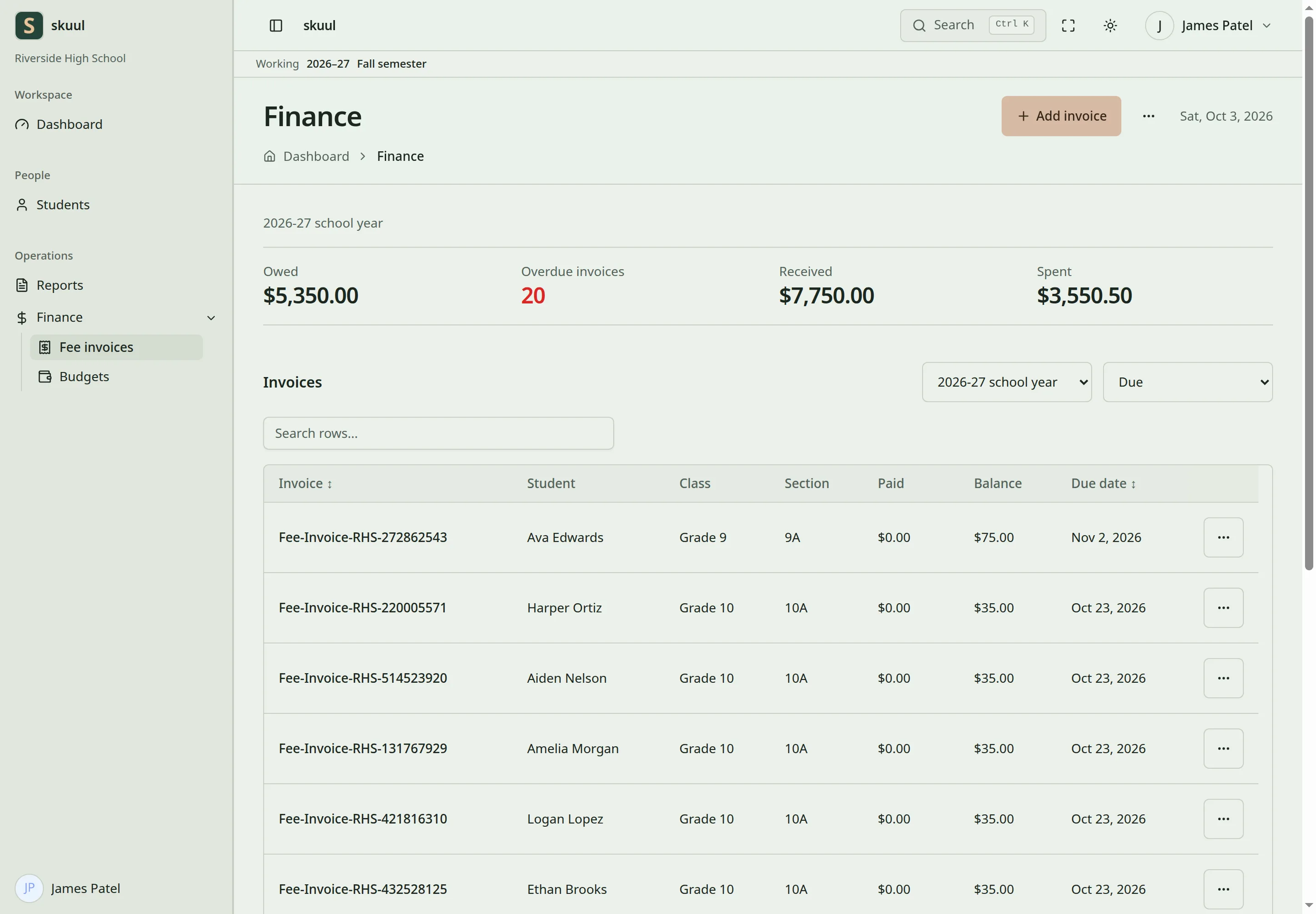
The Finance page lists the campus's invoices. Filter by Financial period and status, or search the rows.
Access and setup
| Task | Campus permission |
|---|---|
| Read invoices | read fee invoice |
| Create invoices | create fee invoice |
| Change an invoice or take payment | update fee invoice |
| Create fee categories | create fee category |
| Create fees | create fee |
Before the first invoice, create the fees you charge:
- On the Finance page, open the ellipsis (More finance pages).
- Select Fee categories and create a category, such as Tuition.
- Select Fees and create the fees in that category.
A fee is a name only. You enter its amount on each invoice.
The currency comes from the installation setting. NGN is the default. Set it before you enter live records. Changing it does not convert existing amounts.
Invoice amounts are whole numbers
Amount, Waiver, and Fine on an invoice accept integer major-unit amounts: whole naira, dollars, and so on. Under NGN, enter 1000 for ₦1,000.00. The form refuses 1000.50. Payments accept decimal major-unit amounts, with up to two decimal places.
Issue an invoice
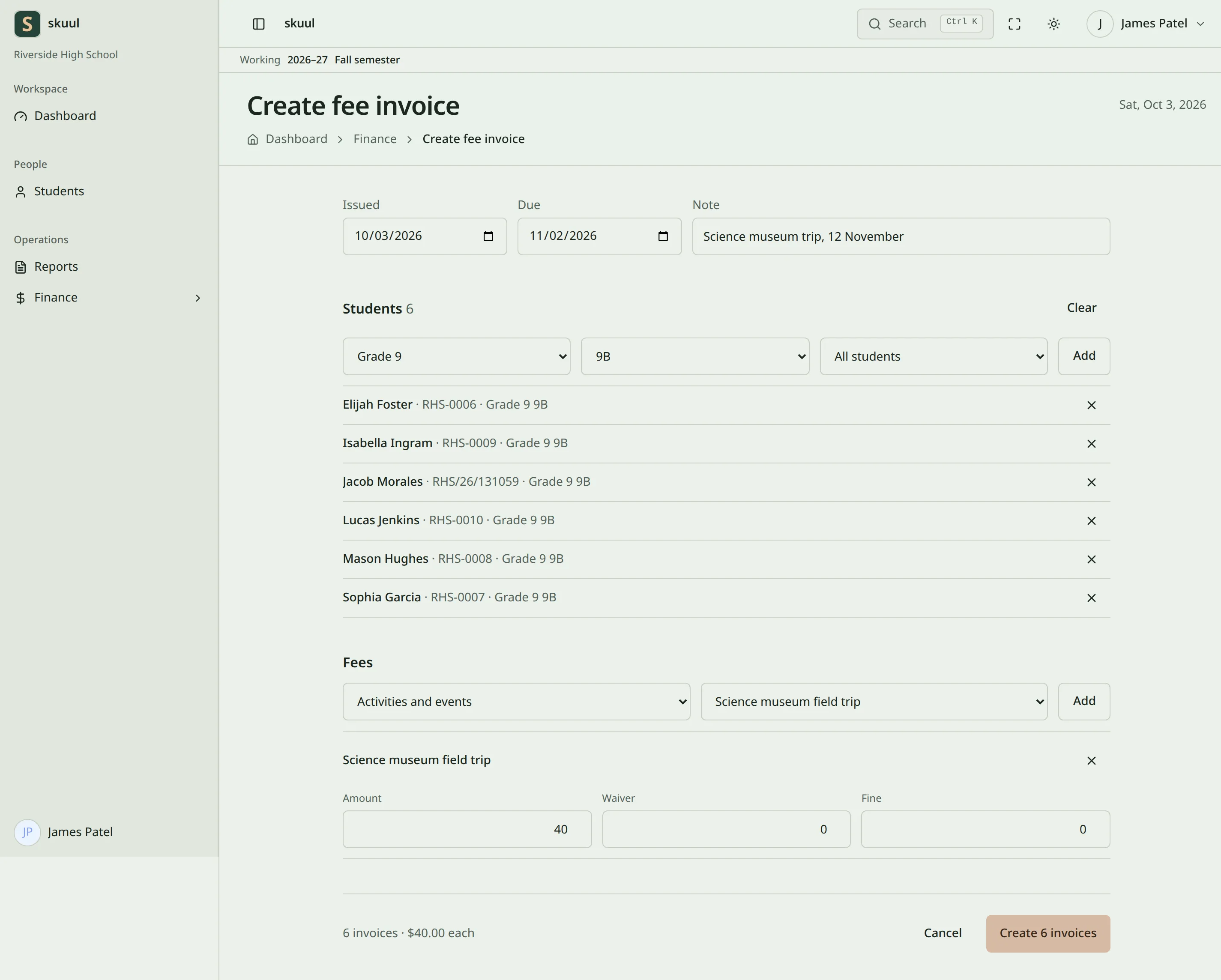
- On the Finance page, select Add invoice.
- Enter Issued and Due. Note is optional.
- Under Students, select the class and section.
- Select one student, or keep All students, then select Add.
- Repeat for other sections. Remove a student with their ×.
- Under Fees, select the fee category and fee, or keep All fees in this category, then select Add.
- Enter Amount, Waiver, and Fine for each fee.
- Check the total under the form, such as 6 invoices · $40.00 each.
- Select Create invoice, or Create 6 invoices for six students.
The Finance page opens with the message Invoice created. or 6 invoices created. Each student gets a separate invoice with the same fees. The app gives each invoice its number.
| Field | Requirement |
|---|---|
| Issued | Required. An open financial period must cover it. |
| Due | Required. On or after Issued. |
| Note | Optional. Up to 10000 characters. |
| Students | At least one Active or Suspended learner of this campus. |
| Fees | At least one fee of this campus. |
| Amount | Whole number from 1 to 100000000. |
| Waiver | Whole number from 0. Not more than Amount. |
| Fine | Whole number from 0 to 100000000. |
Each fee charges Amount − Waiver + Fine. Example: amount 1000, waiver 100, and fine 50 charge ₦950.00 under NGN. Two students each get an invoice of ₦950.00. If you select Create invoice twice, the app creates the invoices once.
View and print
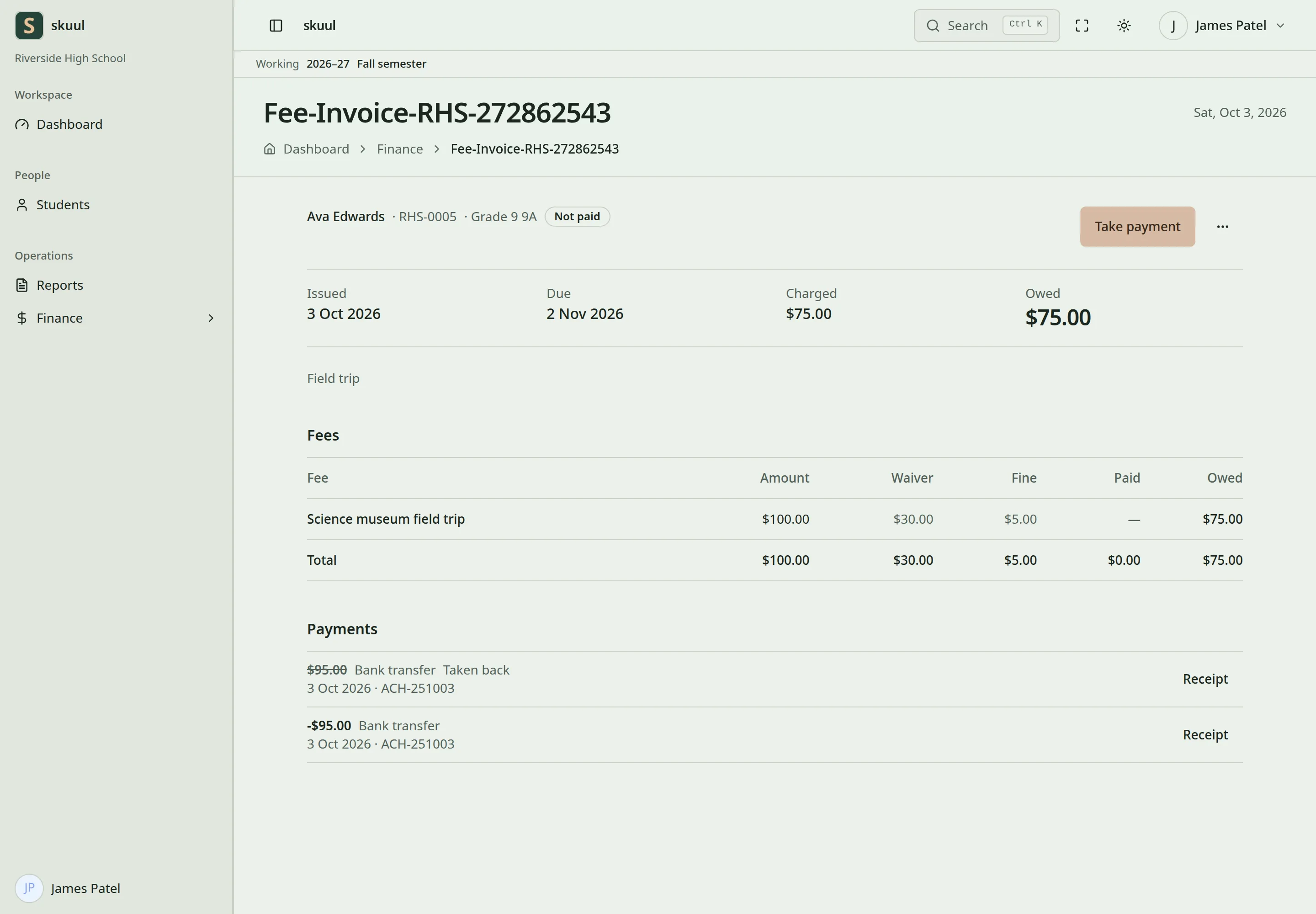
Select an invoice number to open it. The status is Not paid, Part paid, or Paid. The ellipsis beside Take payment has Print invoice, Edit, and Student account. Use Take payment for money received. See payments.
Correct an invoice
Select Edit to change Due or Note, then select Save. The issue date cannot change.
The fees of an invoice are locked when it is in the books. The edit page marks them Posted. To reduce what the learner owes, use Waive or write off on the Student account. See payments. To charge more, create another invoice. Do not change an invoice to record money received or returned.
| Problem | Action |
|---|---|
| No students in the list | Select the class and section of the working school year. Only Active and Suspended learners are listed. |
| No fees in the list | Create a fee category and fees at this campus. |
| The due date is refused | Use a date on or after Issued. |
| The issue date is refused | An open financial period must cover it. See financial periods. |
| A decimal amount is refused | Invoice amounts are whole numbers. |
| A wrong student is in the list | Remove them before you create the invoices. After that, waive or write off their fee. |
Closing a school year does not close its financial period. See financial periods and accounting.